Introduction
In today’s data-driven organisations, executives are expected to make fast, high-impact decisions based on complex and constantly changing information. Raw reports or static spreadsheets are no longer sufficient for this purpose. Executive dashboards bridge this gap by presenting key metrics in a concise, visual, and actionable format. A well-designed executive dashboard does more than display numbers; it provides strategic context, highlights trends, and supports timely decision-making. Understanding how to design such dashboards is a core competency for professionals working in analytics and strategy roles, and it is often introduced as part of a business analyst course focused on decision support systems.
Purpose of Executive Dashboards in Strategic Monitoring
Executive dashboards are fundamentally different from operational or analytical dashboards. While operational dashboards focus on day-to-day activities, executive dashboards are designed for high-level performance monitoring. Their primary purpose is to give leadership a clear view of organisational health aligned with strategic objectives.
These dashboards typically track key performance indicators (KPIs) related to revenue, profitability, customer satisfaction, operational efficiency, and risk. The emphasis is on clarity and relevance rather than volume of data. Executives should be able to identify performance gaps, emerging risks, and growth opportunities within seconds of viewing the dashboard.
A critical aspect of strategic monitoring is alignment. Each metric displayed should tie back to a business goal or strategic initiative. This alignment ensures that decisions made using the dashboard directly support long-term objectives rather than short-term operational fixes.
Selecting the Right Metrics and KPIs
Metric selection is one of the most important steps in executive dashboard design. Including too many KPIs can overwhelm decision-makers, while too few may hide important insights. Effective dashboards focus on a carefully curated set of indicators that reflect strategic priorities.
KPIs should be outcome-oriented rather than activity-based. For example, customer retention rate is often more meaningful at an executive level than the number of support tickets resolved. Similarly, margin trends may provide better strategic insight than total sales figures alone.
It is also important to define clear targets and thresholds for each KPI. Visual cues such as colour coding or trend indicators help executives quickly understand whether performance is on track. Professionals trained through a business analysis course often learn structured approaches to KPI selection, ensuring that metrics remain relevant as business strategies evolve.
Visual Design Principles for Executive Dashboards
Visual design is very important for making executive dashboards easy to understand. Keeping things simple is best. Clean layouts, consistent colors, and little clutter help users focus on the most important information.
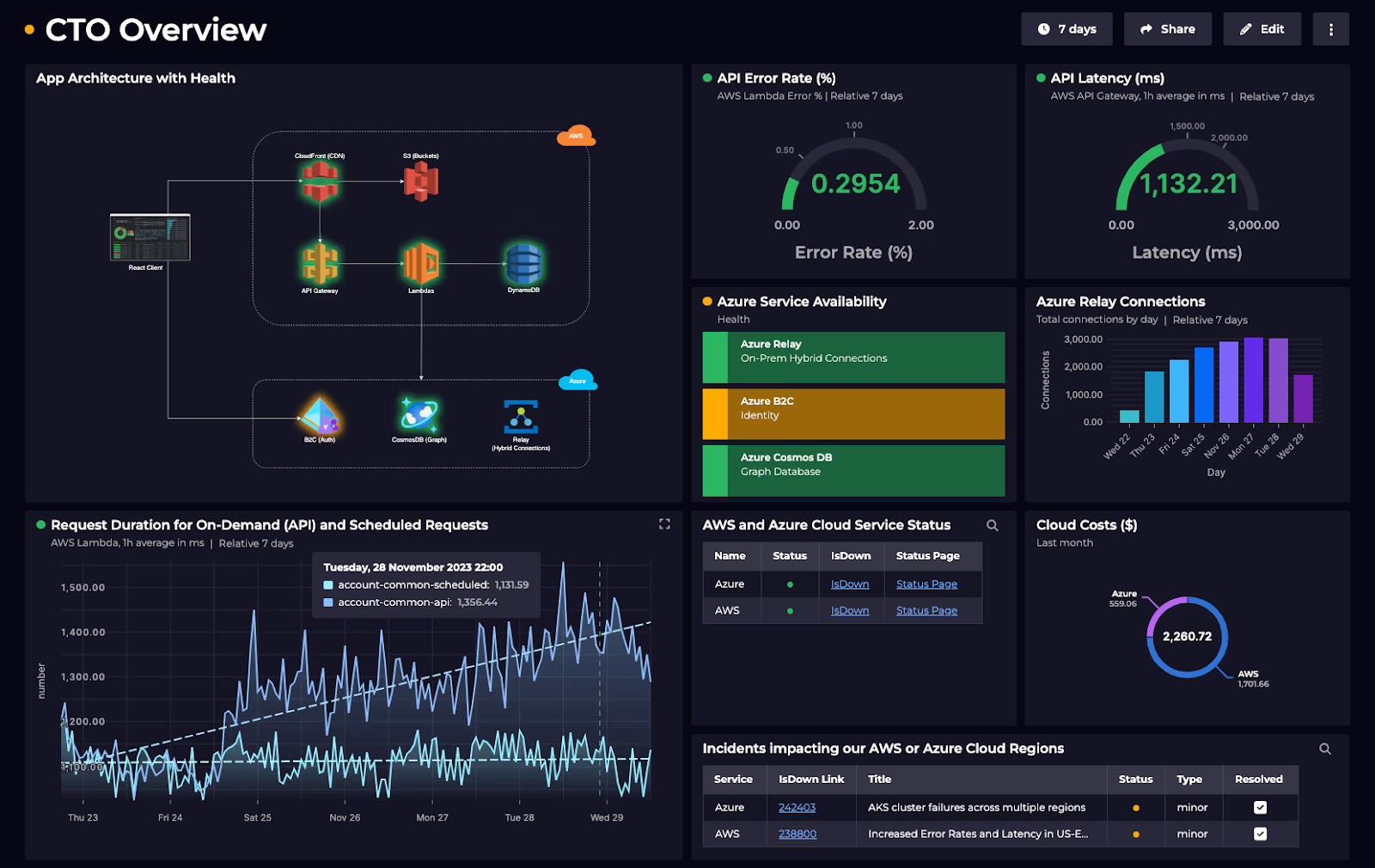
Charts and visualisations should be chosen based on the type of insight required. Line charts are effective for showing trends over time, while bar charts support comparisons across categories. Scorecards and summary tiles are useful for presenting headline metrics at a glance. Complex visualisations should be avoided unless they add clear value.
Hierarchy is another important principle. The most critical information should appear at the top or centre of the dashboard, with supporting details placed below or behind interactive elements. This structure mirrors how executives consume information and supports quick scanning followed by deeper exploration if needed.
Interactivity and Decision Support Features
Modern executive dashboards are increasingly interactive, allowing users to drill down into data for additional context. Interactivity should be purposeful and intuitive, enabling executives to explore root causes without navigating multiple reports.
Common interactive features include filters by time period, region, or business unit, as well as drill-through capabilities to more detailed views. These features support informed decision-making by connecting high-level trends with underlying drivers.
Decision support also involves providing context, not just data. Annotations, benchmarks, and variance explanations help executives interpret what they are seeing. This transforms the dashboard from a passive reporting tool into an active decision aid. Exposure to these design considerations is a common outcome of advanced analytics training, including modules within a business analyst course that emphasise stakeholder-focused reporting.
Governance, Accuracy, and Trust
For executive dashboards to be effective, decision-makers must trust the data. Strong governance practices ensure data accuracy, consistency, and timeliness. This includes clear ownership of metrics, documented definitions, and controlled data sources.
Regular validation and updates are essential, especially when dashboards are used for strategic reviews or board-level discussions. Any discrepancies or delays can undermine confidence and reduce adoption.
Security and access control are also important. Executive dashboards often contain sensitive information, so access should be restricted based on roles and responsibilities. Establishing these governance practices is a key part of professional training in analytics and strategy roles, often reinforced through a business analysis course.
Conclusion
Designing executive dashboards is a strategic skill that brings together data, visuals, and business know-how. By choosing the right KPIs, using clear design, and adding useful interactivity, organisations help leaders make confident decisions. With good data governance and alignment to strategy, dashboards become vital tools for tracking performance and supporting decisions. In today’s complex business world, investing in well-designed dashboards is key for strong leadership and long-term growth.
Business Name: Data Analytics Academy
Address: Landmark Tiwari Chai, Unit no. 902, 09th Floor, Ashok Premises, Old Nagardas Rd, Nicolas Wadi Rd, Mogra Village, Gundavali Gaothan, Andheri E, Mumbai, Maharashtra 400069, Phone: 095131 73654, Email: elevatedsda@gmail.com.